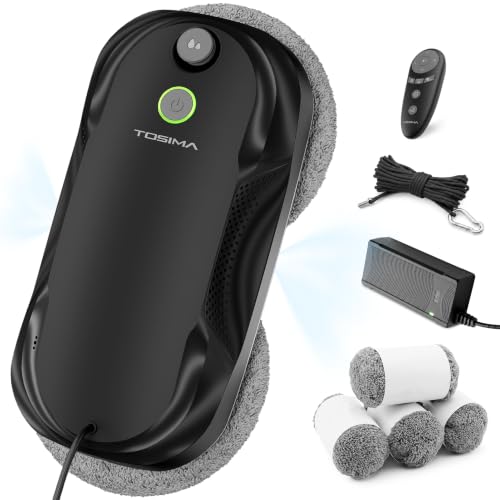
Troubleshoot in a sequence that protects the robot and the people around it: stabilize and retrieve first, then inspect off the glass. If the unit slips, loses suction, stalls near an edge, repeats an alarm, or behaves unpredictably, support it, follow the model's removal procedure, disconnect power when safe, and consult the exact manual before restarting.
Most symptoms can be sorted into five systems: power and connectors; the air path and seal; pads, drive rings, and surface friction; sensors and obstacles; or fluid delivery. Change one variable at a time. Clean and dry the glass test area, reinstall the correct pads evenly, remove cable tension, clean accessible sensors as directed, and record the alert pattern. Never defeat an edge sensor, open a sealed body, or substitute a fluid or part the manufacturer has not approved.
A successful bench check is not permission for a risky window. Retest only on a documented compatible pane within easy reach, with the tether attached and the area below clear. Stop and seek model-specific support if there is physical damage, burning smell, liquid near electrical parts, frayed wiring, repeated suction loss, a swollen battery, or an error that returns after the manual's permitted reset.
Decision framework
1 Stabilize
- Support and retrieve the robot; secure the area below.
2 Identify
- Record model, symptom, alert sound/light, point in cycle, surface, pad condition, and weather.
3 Inspect
- Check only user-serviceable power, seal, pads, drive surfaces, sensors, tether, nozzle, and cable routing.
4 Correct one cause
- Use the exact manual; do not mix undocumented reset procedures or error codes between models.
5 Controlled retest
- Use a clean compatible pane within reach, tethered and supervised.
6 Escalate
- Stop for damage, electrical or battery concerns, persistent adhesion loss, or recurring errors.
Questions readers ask
What should I do first when a window robot malfunctions?
Keep control of the drop zone, support and retrieve the robot safely, then inspect it off the glass. Do not continue a run while behavior is unpredictable.
Do beeps mean the same thing on every model?
No. Record the exact sound and light pattern and use the manual for that model. Generic code lists can lead to the wrong action.
Can wet pads cause problems?
Incorrectly prepared or saturated pads can affect traction, suction, or finish on some systems. Install and dampen pads only as the exact manual directs.
When should a robot not be restarted?
Do not restart after physical damage, frayed wiring, liquid intrusion, overheating or burning smell, battery swelling, repeated adhesion loss, or an unresolved safety-related error.